 knacksnews
Stay Organized: 5 Smart Ways to Schedule Important Info on Android
Maintaining an organization is absolutely vital in today's fast-paced environment. Features on our cell phones abound enough to enable us to monitor our calendars, chores, and critical data. With Android devices providing a broad spectrum of options, we may more effectively manage our time. Android provides numerous methods to schedule and arrange critical data, whether you need it for tracking deadlines, remembering an appointment, or just keeping on top of everyday duties.
This guide will discuss five clever strategies for keeping your calendar in order. From calendar apps to reminder settings and task syncing across devices, Android offers several tools to keep you orderly. These simple ideas will help you handle your daily responsibilities effectively. Let's explore how you can maximize your Android device to stay organized and maximize your time.
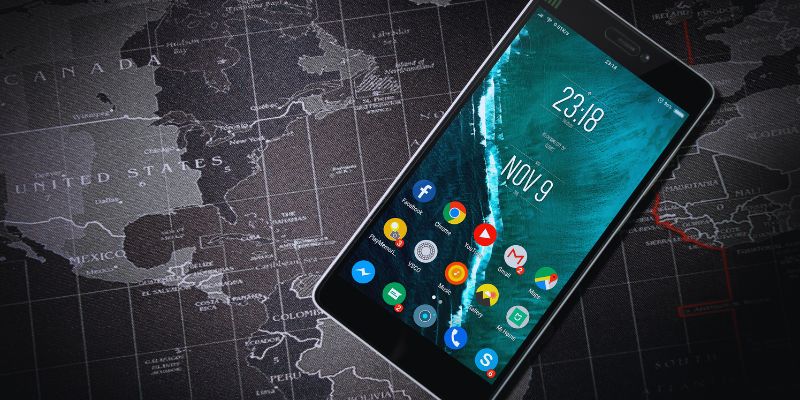
5 Smart Ways To Schedule Important Info On Android
Below are five smart and easy ways you can use your Android phone to schedule important information daily:
Use Google Calendar to Plan Your Day
One of the best Android time-scaling tools is Google Calendar. It syncs throughout all of your devices and is free and simple to use. Just a few clicks will let you add meetings, events, appointments, and reminders. Google Calendar also lets you create alerts to remind you about forthcoming activities, thereby making sure you never overlook a crucial chore. Google Calendar's capacity to classify events is among its main strengths. Different kinds of events can be color-coded, which will help you to separate family, personal, and business engagements easily. You can also invite people to activities, therefore simplifying teamwork. Another useful tool that saves time when planning future appointments is arranging frequent events, such as weekly meetings. Glancing over your day, week, or month on Google Calendar's simple layout allows you to Clarify your calendar and facilitates necessary changes.
Set Reminders with Google Keep
Another excellent Android utility that keeps you orderly is Google Keep. Though it's a note-taking tool, it also lets you create reminders for particular chores. You can create voice memos, to-do lists, or note key ideas. After adding your note, you can create a reminder for a designated place or time. Google Keep distinguishes itself by its interaction with Google's ecosystem. Linking your Keep reminders to your Google Calendar will help you guarantee the syncing of everything. For those who use several devices, this is also the ideal option since you can access your notes and reminders from any one of them. Google Keep also helps you rapidly scribble ideas or thoughts that could strike you throughout the day. You might include text, pictures, or even voice recordings. Its straightforward, intuitive design makes note organization effortless.
Use Android's Built-in Reminder App
An easy and effective tool for keeping track of crucial chores is the built-in reminder app included on Android phones. Though its look is simpler and more basic, it functions much like Google Keep. You readily set reminders for particular days and times. It keeps you current without requiring you to download more programs. When you're rushing, it's very beneficial to be able to add reminders using your voice rapidly. Most Android phones also let you create weekly or daily task-repeating reminders. It guarantees you never miss a scheduled work. The built-in reminder software is among the best since it directly connects with your Android system. You should not worry about outside apps or synchronize with other services. Everything stays on your gadget, allowing you to handle and keep your chores private easily. It is a basic but effective instrument for maintaining daily order.
Try Task Manager Apps for Detailed Planning
Task manager apps are excellent tools for more precise and structurally managing your calendar. These programs let you divide large projects into doable steps. Popular choices include Todoist, Microsoft To Do, and Any.do have useful tools, including the creation of subtasks, tracking advancement, and deadline setting. They are easy to operate and fit both personal and business planning. Most of these programs enable you to sync your chores across several devices—such as your phone, tablet, or PC. You can thus access your chores anywhere, at any moment. Many task managers also advocate teamwork. You can add notes, delegate chores to others, and distribute group updates. Managing projects as a team is, therefore, simpler. To help you not forget crucial deadlines, you can also create alarms or reminders. These apps help you stay focused, lower stress, and cleverly and practically keep your day ordered.
Sync Tasks with Google Assistant
Google Assistant is yet another fantastic tool for keeping track of chores and organizing. You can talk to it to do chores, arrange visits, or set reminders. Google Assistant can set alarms, add appointments to your Google Calendar, and even send reminders exactly at the appropriate moment. Its degree of app connection with other ones is among its strongest points. You can ask it to create to-do items, check your daily calendar, or enter notes into Google Keep. Voice commands let you control your time without having to tap your device. That makes it ideal while on the go or throughout a hectic schedule. Based on your calendar and location, Google Assistant also makes clever recommendations. Saying you're leaving could imply the ideal path or jog your memory of meetings. It's like carrying a personal assistant who keeps you on target with your daily schedule.
Conclusion:
Android devices provide a large spectrum of options to enable you to remain orderly and schedule critical data. There are lots of choices, whether your preferred method is task manager apps for thorough preparation, Google Keep for reminders, or Google Calendar for events. Managing your calendar has never been simpler with tools like voice commands with Google Assistant and device syncing capability. These clever techniques can help you to maximize your time, keep on top of your work, and lower stress. Use these strategies to keep orderly and simple every day.
Related Articles

Stay Organized: 5 Smart Ways to Schedule Important Info on Android

Maximize Your Website's Potential with the 11 Best SEO Tools in 2025
The Best Team Collaboration Tools in 2025: Revolutionize Your Workflow

The 15 Best Lead Management Software and Tools to Boost Your Business in 2025

6 Ways to Automate Security and Identity Tools for a Safer Business

The 9 Best Gantt Chart Software Tools to Streamline Your Projects

5 Ways to Automate Your Calendar and Never Miss an Appointment Again

The 13 Best Campaign Management Software Tools to Streamline Your Marketing
Step-by-Step Guide: How to Create Recurring Tasks in Notion with a Template

Boost Engagement: 8 Ways to Automate Your Email Newsletters and Drip Campaigns
Revolutionize Customer Experience: 4 Ways RevOps Leverages Automation